
Right to Work
How to read a Right to Work result
Once the applicant completes their digital Right to Work check, open their check summary to review the result.
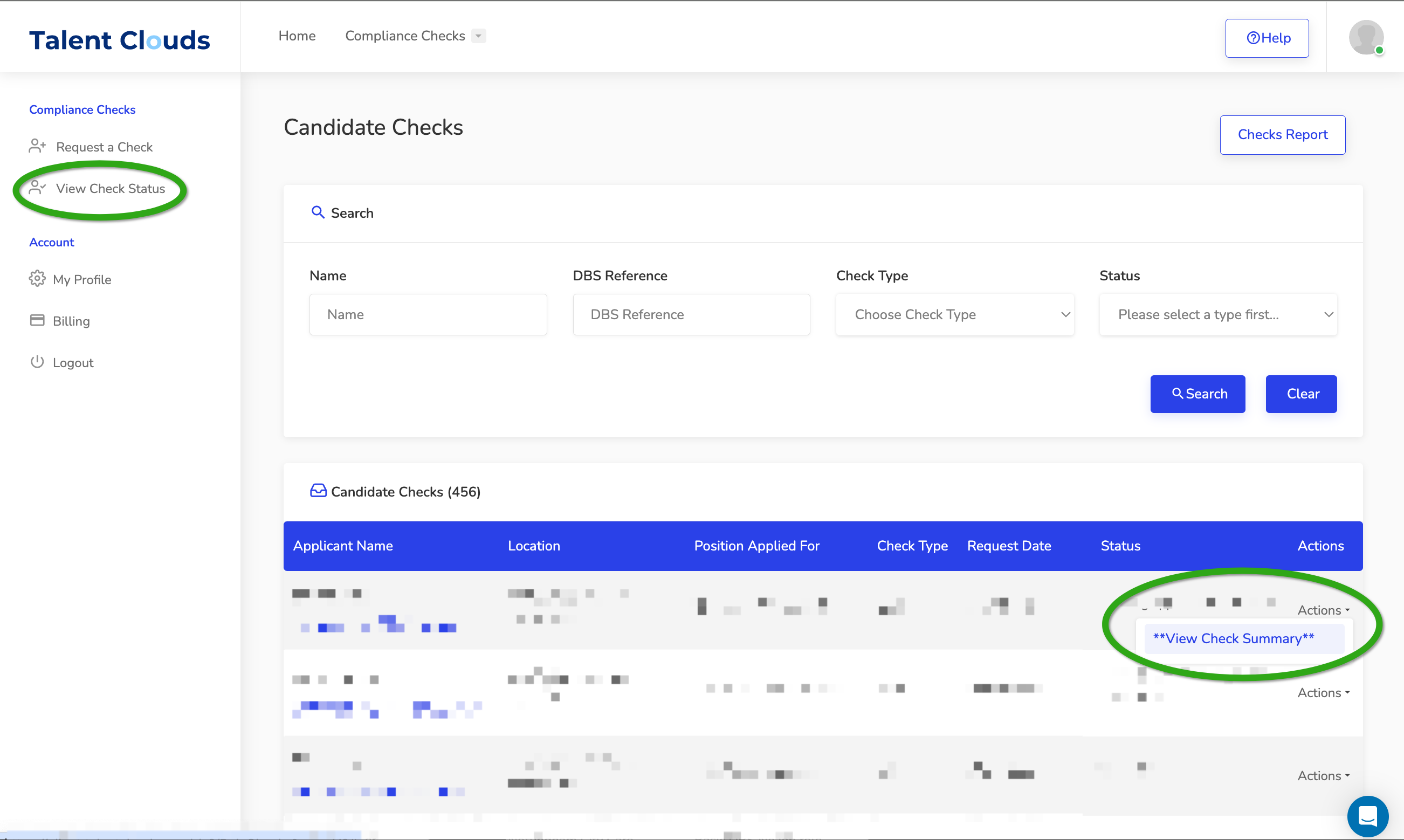
Open the candidate
- Sign inGo to client.talentclouds.co.uk. Use Forgot Password if needed.
- Open View Check StatusFind the applicant in the Candidate Check Dashboard.
- Open the summaryUnder Actions, select View Check Summary.
Interpret the result
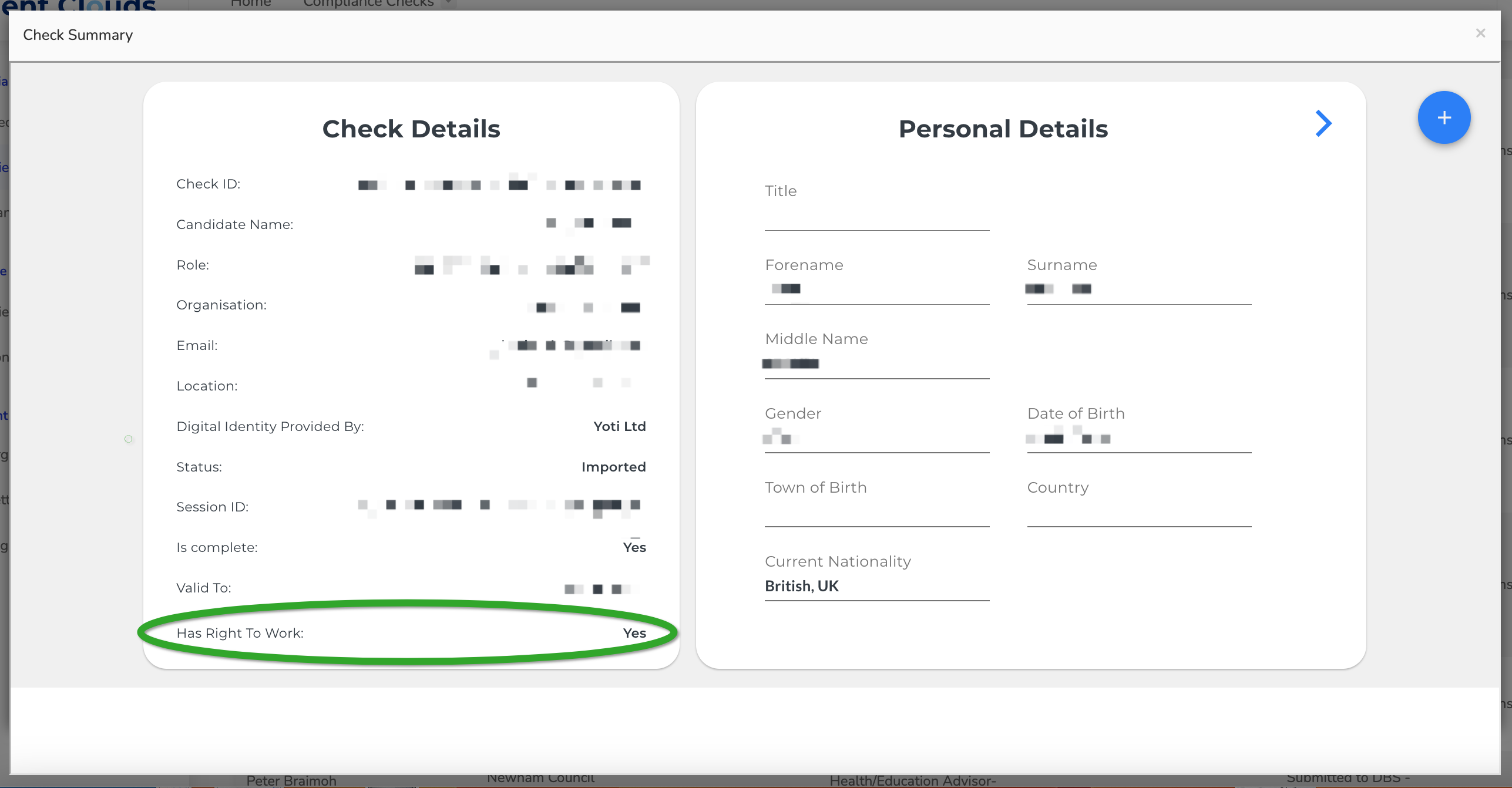
When the digital check is complete and valid, the summary shows Has Right To Work: Yes.
View the passport image
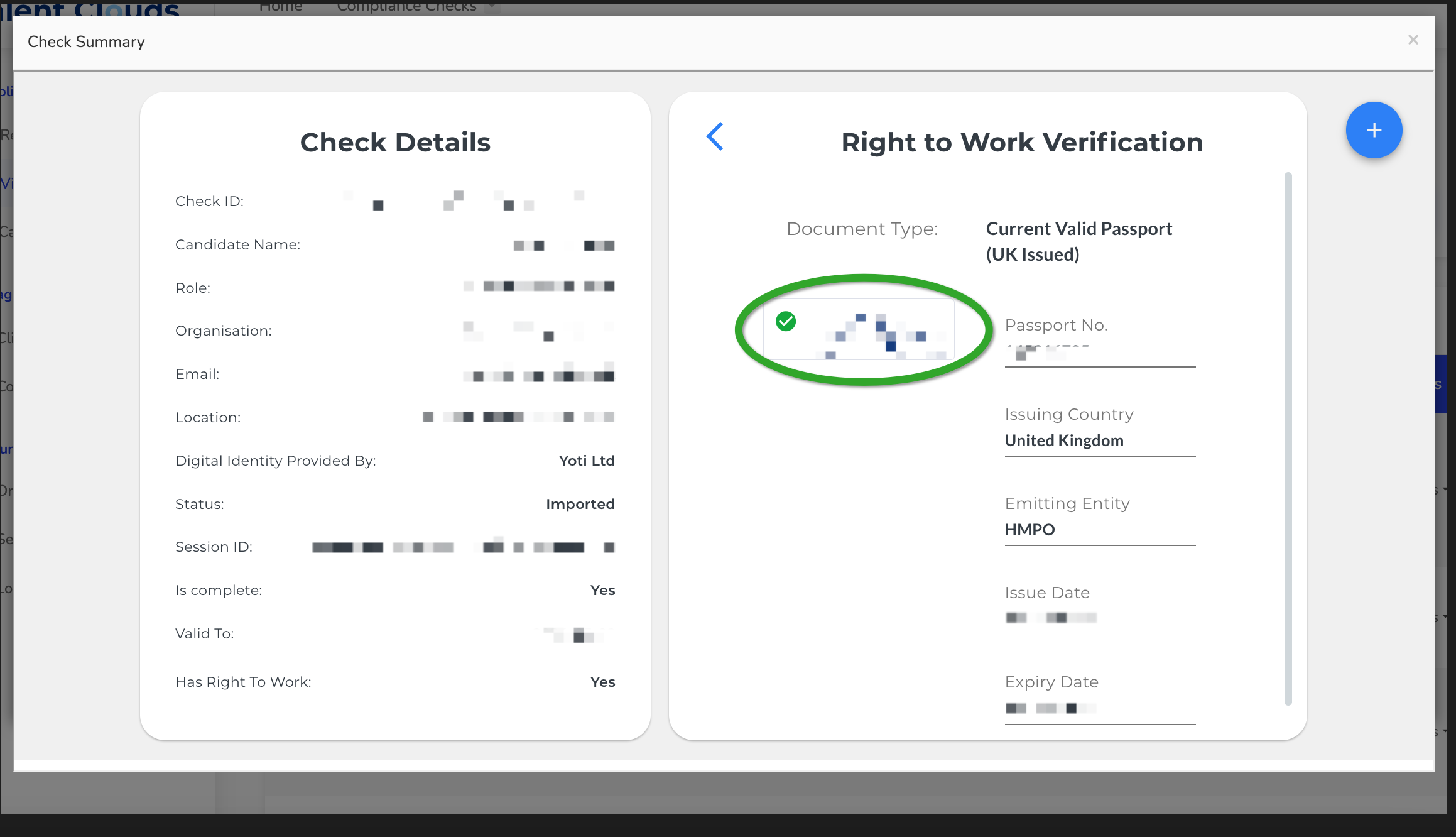
- Open the image areaUse the blue arrow at the top right.
- Select the linkOpen the hyperlink shown in the highlighted area.
- Store it appropriatelyThe image stays in TalentClouds for your contract unless you ask us to delete it. You may also store it in your own system.
Important
Only UK or Irish passport holders can use TalentClouds' digital Right to Work process. TalentClouds cannot digitally verify someone without one of these passports, and a charge may still apply if a check is attempted.
A result of Has Right To Work: Yes confirms the digital check completed successfully.
Was this guide helpful?