
How to submit a DBS application for countersigning
When an applicant completes their DBS application, the admin who requested it receives an email to review and approve it.
Check digital identity
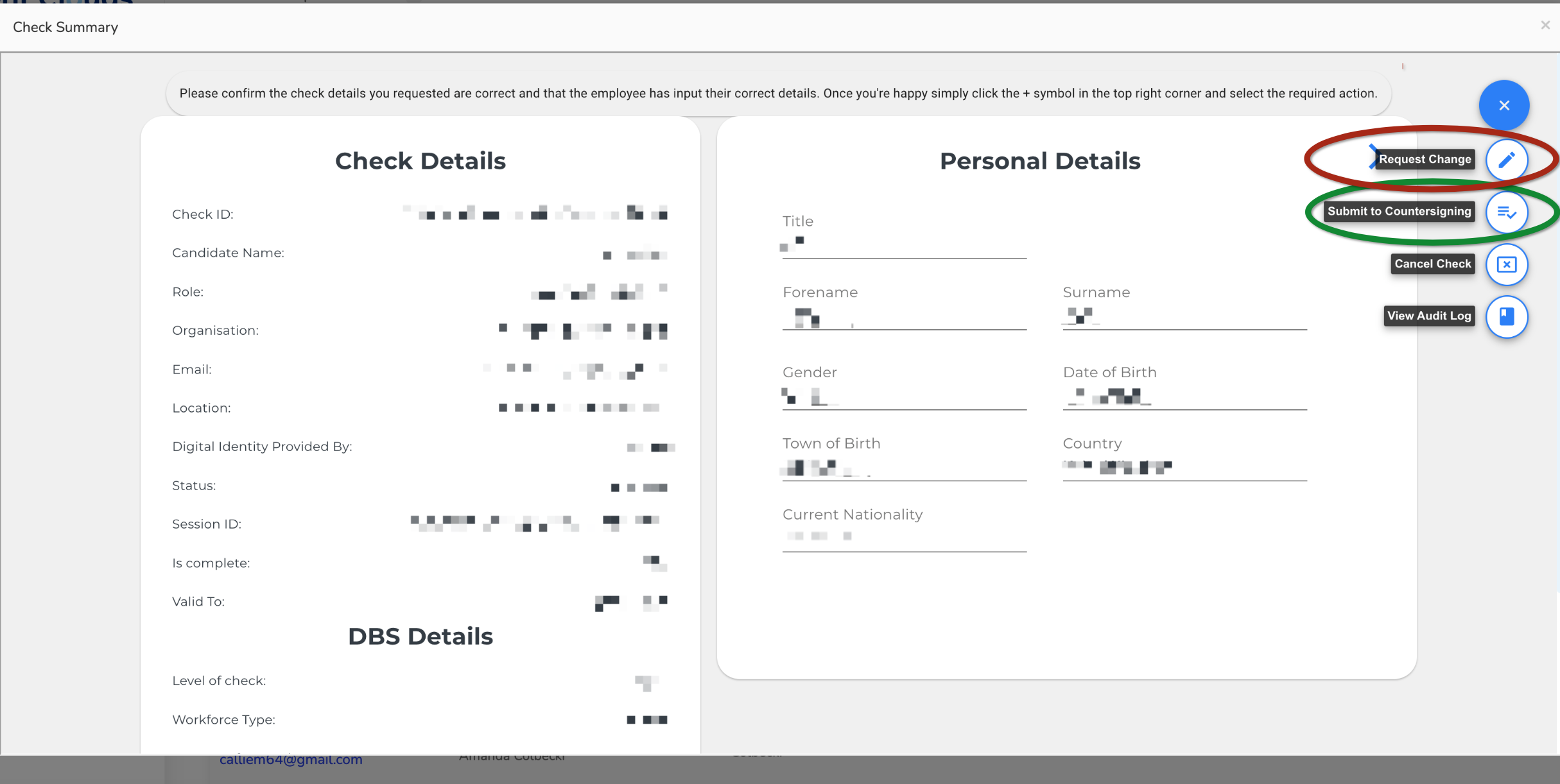
If the applicant completed digital identity successfully, the application says Digital Identity Provided by: YOTI Limited. You do not need to verify their documents or identity again.

If digital identity is not shown
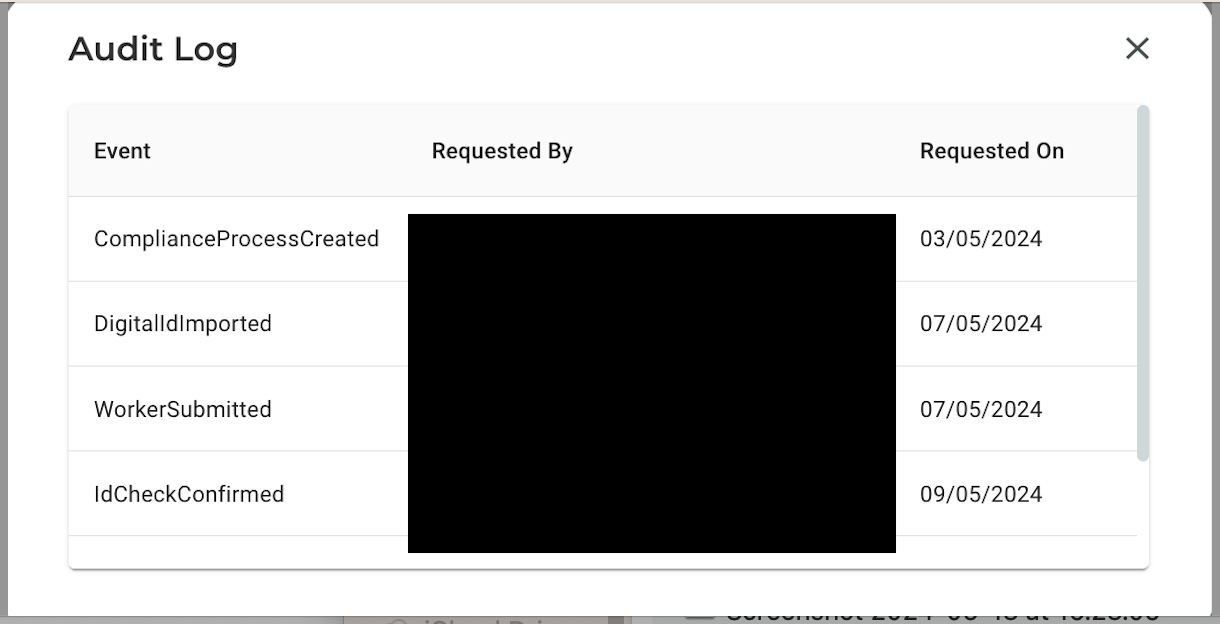
The digital identity check is incomplete. Confirm the applicant's identity using the manual process before continuing. The audit log will show DigitalIDImported when digital ID has been imported.
Review and decide
- Review the applicationCheck the selected level and make sure the form has been completed correctly.
- Approve itSelect Submit to Countersigning, outlined in green.
- Or request changesSelect Request Change, outlined in red, if the applicant needs to correct something.
Who can approve it?
Only the admin who requested the DBS check can take these actions. If that admin will be away for more than 48 hours, ask TalentClouds through Messenger to approve it on their behalf.
Cancellation and charges
You can cancel before countersigning, but the TalentClouds administration fee still applies. Ask us to cancel after countersigning. If it has already gone to DBS, both the administration fee and government fee apply.
After countersigning
The countersignatory may ask about the role or check level. Once signed and sent to DBS, the DBS Details section shows the Application ENumber. Processing times are outside TalentClouds' control.